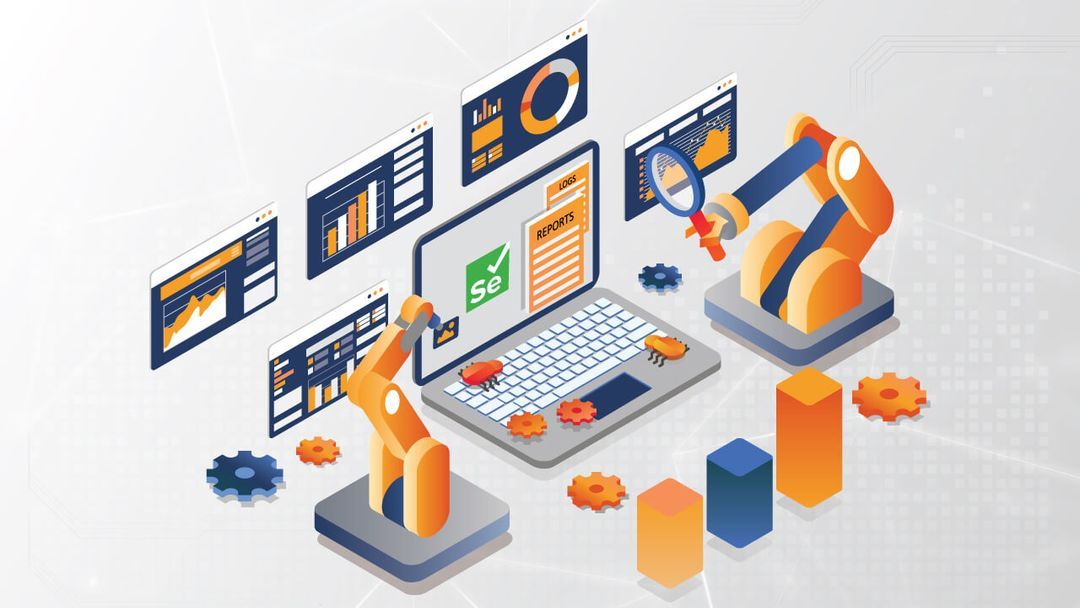
Selenium has dominated the software development industry for nearly a decade, serving as the go-to solution for browser automation across a wide range of platforms and languages. It is a popular framework among web developers due to its versatility and extensive community support.
But as the industry evolves, so do the requirements of testers. Complex web applications, real-time data, cross-device compatibility, and continuous integration have all raised the difficulty level. To address these new challenges, several powerful automated testing tools have emerged, offering features that either improve or surpass Selenium in various aspects. Among them, AI driven test automation stand out by providing intelligent capabilities such as self-healing tests, predictive defect detection, and automated test case generation, making QA workflows faster and more reliable.
In this article, we will analyse the modern landscape of automation tools. We will understand why testers consider modern automation tools other than Selenium. Moving forward, we will examine the key features that each test automation tool offers in comparison to Selenium.
Why Consider Beyond Selenium
Although Selenium has strong programming support, it can pose challenges for testers. Knowledge and expertise in programming are essential for effectively developing and writing tests using Selenium, resulting in a steep learning curve for many testers. Many testers who lack programming skills or advanced technical knowledge find Selenium to be obstructive when starting their automation testing efforts.
Given the lack of multiple components required for a comprehensive automation project, such as reporting and logging, teams need a certain level of expertise and experience to create, tailor, and maintain a Selenium-based tool for their projects. Without meticulous planning and architecture, such a framework can become non-reusable across different projects.
Selenium also does not offer mechanisms to separate automation scripts from test data, leading to high maintenance costs for test scripts and challenges in managing both test scripts and test data. There is also a deficiency in managing and organising test assets like test scripts, data, and test objects. The above limitations have led organisations to seek solutions that offer ready-to-use testing functionalities to get them started on their automation journey.
Understanding Modern Automation Tools
Automation testing tools carry out predefined test cases automatically on software or systems. These tools collaborate with BDD testing tools to validate the application’s functionality, performance, and reliability by executing tests repeatedly without any human interaction. They are very important in contemporary software development and quality assurance activities.
The advantages associated with the use of automation testing tools are high efficiency and accuracy during the testing period. They enable more thorough testing, which could not be done manually, leading to the development of higher-quality software. These tools work along with the BDD testing tools. They perform tests repeatedly till there is verification of application functionality, performance, and reliability. They are helpful in the scenario of continuous integration and continuous deployment (CI/CD). This enables quick testing and responses, which is the key to agile software development.
Advantages of Adopting Modern Automation Tools
AI and Machine Learning Incorporation- Many tools are implementing AI that automatically makes modifications to test scripts after alterations are made to the user interface of the application, thereby reducing maintenance time.
Predictive Analytics- More advanced analytics are being used to predict possible problems with the software before their occurrence to help teams resolve issues proactively.
Enhanced Usability and Productivity- Automated testing has become increasingly available to a broader audience as the model of no-code or low-code solutions gains popularity. This enables testers to build automated tests even with minimal knowledge in programming.
Concurrent Test Execution- Advanced automation tools provide additional features to execute several tests simultaneously. This greatly shortens the time involved in comprehensive test suites.
Integration and Collaboration- Enhanced compatibility with CI/CD enables the introduction of automated tests into the build process and, therefore, delivers continuous testing and delivery.
Security Testing- With a growing focus on application security, automation tools are incorporating features to evaluate vulnerabilities and adherence to security standards within the testing environment itself.
Instant Reporting and Analytics- Immediately delivers the results of the test. Actionable insights will allow teams to fix bugs in the most prioritised manner, make informed decisions, and assess the effects of any changes.
When to use Selenium and when to look at other tools
To decide on which tools and frameworks to consider, it is better to analyse Selenium in some ways. Nowadays, Selenium can be perfectly used in projects requiring cross-browser testing. Testers can utilise Selenium to engage with various browsers and operating systems. It would have been a better option if testers wanted to evaluate web applications in a wide range of environments. Its functionality is specifically useful when dealing with complicated user interactions, cookies or testing on various browser environments.
If the testing infrastructure has already been established around Selenium-related tools like Appium, remaining with Selenium is advisable. This is especially pertinent when testers intend to incorporate it into their CI/CD processes. But when the needs belong to the other category, it might be preferable to choose a different tool.
Key Features to Consider in Alternative Tools
Ease of Setup and Configuration
Selenium Installation and configuration can be very complex. Other tools with easier installation and configuration, possibly even little or no coding, may save resources and time. User-friendly interface or codeless solutions may be more approachable to non-technical teams.
Performance and Speed
Selenium is slow, especially when running in large-scale tests. Give priority to alternatives recognised for quicker execution times and reduced resource utilisation. Check the effectiveness and scalability of the alternative tool under the condition of larger sets of tests.
Cross-Browser and Cross-Platform Compatibility
Ensure that the alternative accommodates all the browsers the team needs for testing, including the most recent versions. If testing is required across various devices (desktops, mobiles) and operating systems, confirm that the alternative provides extensive compatibility.
Integration Capabilities
The alternative should easily integrate with the Continuous Integration and Continuous Delivery systems (e.g., Jenkins, CircleCI). Check that the alternatives work well with the current testing and development tools.
Other Significant Features
Other alternatives, including Cypress, Playwright, and Puppeteer, deal with dynamic content and complex web applications efficiently as compared to Selenium. Find other solutions which will offer good reporting and analysis capabilities that will help to monitor the testing results and identify the problems.
Advanced Features
Assess whether other than Selenium have advanced functionalities that are crucial for the specific testing requirements, such as visual testing or time travel capabilities.
Top Alternatives For Modern Automation Tools Beyond Selenium
LambdaTest
LambdaTest is a test execution platform that can conduct both manual and automated tests at scale. The platform enables testers to perform real-time and automated testing on a cloud Selenium grid of 3000 environments and real mobile devices. LambdaTest is built to enable faster, more efficient testing for web and mobile applications without requiring deep coding expertise.
By providing AI-driven test automation capabilities like self-healing tests, intelligent auto-waits, automated test data creation, and parallel test execution across numerous real devices and browsers, it aims to ease test automation in contrast to other AI automation tools. Because of its design, which makes creating, running, and debugging tests easier and more efficient, it is an excellent alternative for developers and testers looking for a modern automation testing solution.
Key Features-
- AI-Powered Test Data Generation: Eliminates manual setup of test data and sets realistic test data for different situations. This enhances efficiency and test coverage of tests.
- Low-Code/No-Code Interface: Enables testers with low technical expertise to create, modify, and execute automated tests.
- Direct browser debugging: Debugging and fixing failing tests directly in the browser is possible using direct browser debugging. Developer tools are integrated into it.
- Test isolation: It keeps every test result distinct from the others. This keeps tests from overlapping and makes it possible to assess each outcome separately.
Puppeteer
Puppeteer is an open-source testing tool on the basis of the Node.js library. Using this tool, which is API-based, testers are able to test applications in Chrome or Chromium on the command line. Because Puppeteer uses a headless platform without a separate user interface for testing, it is faster than other testing solutions and is therefore a desirable choice for effective web automation testing.
Key Feature
- Automated form submissions: Puppeteer allows automating the filling of online forms and their timely submission.
- Generation of images and PDFs: More visual and in-depth testing is made possible with Puppeteer testing to easily create images and PDF reports.
- Code coverage reporting: Code coverage reports for web applications can be generated with Puppeteer.
Playwright
The Microsoft team created a further NodeJS web testing tool that provides cross-browser testing. Playwright is compatible with several browsers. It executes automated tests, which are controlled in the command line with a headless browser.
Key Features
- Support for other languages: Playwright can test web applications in other languages despite being developed in JavaScript. Testers and developers are not required to learn a particular language.
- Retry and auto-waiting mechanisms: It retries activities on network flakiness only after elements become available. This reduces concerns regarding test failure.
- Debugging tools: Real-time location editing and test navigation are available. Testers can choose to review actionable logs with it in parallel.
Cucumber
A web testing tool built on Ruby, Cucumber applies Behaviour-Driven Development (BDD) to projects on the web. Cucumber is a popular choice for web-based assessments because it does not rely on programming languages, but rather on a human-readable style called Gherkin that is accessible to both technical and non-technical stakeholders.
Key Features
- Tags: Testers can choose particular elements in a feature file for analysis at specific times by using tags.
- Cross-platform compatibility: Cucumber works with PHP, Python, Java, JavaScript, and many other platforms and programming languages.
- Active documentation: For the application being tested, Cucumber’s Gherkin scenarios act as live documentation.
- Analysis and reporting: Cucumber offers comprehensive reports and analysis tools for test execution.
Katalon
An all-in-one web testing automation solution for the web, desktop, and mobile devices. Katalon is intended for both beginners and professionals. It uses AI in web application testing, resulting in a speedier way of automation testing. Katalon interacts with popular tools such as JIRA, qTest, and Jenkins.
Key Features
- AI visual testing: It uses AI-powered visual testing to find discrepancies between images without requiring additional tests or effort.
- User-friendly UI: Katalon Studio interface, which is easy to use and actually helps testers start testing regardless of the level of technical skills.
- Codeless and scripted testing: Katalon allows codeless as well as scripted testing.
- Test case management: Katalon provides built-in functionality for test case management to assist testers in organising, as well as maintaining their tests.
Nightwatch.js
Nightwatch.js is an open-source web testing tool based on the Node.js framework. It provides end-to-end testing for many web platforms and native mobile apps. Nightwatch is set up utilising the W3C web driver API, which enables testers and browser communication.
Key Features
- Move beyond end-to-end (E2E) testing: It can perform unit, integration, API, and traditional E2E tests.
- Developer experience: Nightwatch.js allows easy testing and debugging across individual pixels, to multiple tabs and pages.
- Continuous integration: It combines with third-party frameworks and libraries to make continuous development and deployment. This will guarantee that the application will never break, and testers can always update tests.
Conclusion
In conclusion, the integration of Artificial Intelligence has resulted in amazing development speed for automation testing. Selenium for automated testing is still popular, but modern users are discovering alternative technologies due to development technologies and innovative trends. Organisations must learn new test automation technologies to lead in the modern software development competition. Embracing modern technologies enhances efficiency, test coverage, and a faster release cycle that leads to high-level software quality.
Keep an eye for more latest news & updates on Tribune!