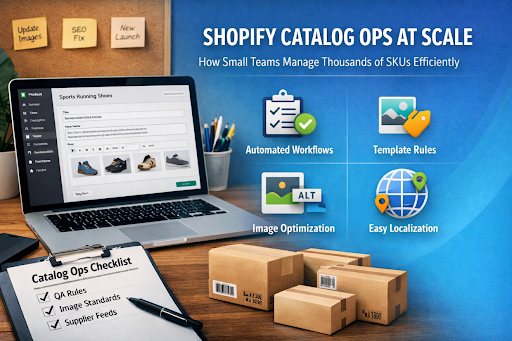
Scaling Catalogs Without Breaking Operations
Scaling a Shopify store isn’t just about adding more products—it’s about keeping every SKU accurate, searchable, and conversion-ready. As catalogs grow into the thousands, small teams often struggle to maintain consistent titles, descriptions, images, and attributes. Manual fixes pile up, spreadsheets multiply, and simple updates turn into time-consuming tasks.
The brands that scale efficiently treat catalog management as an operational system, not a manual chore.
The Hidden Cost of Catalog Content Debt
Catalog content debt accumulates when product data isn’t standardized or maintained proactively. Early signs include inconsistent naming formats, missing attributes, outdated supplier descriptions, or images that don’t match variants.
These issues have measurable consequences. Search engines receive mixed signals from inconsistent metadata, which hurts rankings and organic visibility. Shoppers lose confidence when product information feels unreliable, reducing conversion rates. Internally, teams spend valuable time fixing errors instead of launching new products or optimizing performance.
Left unchecked, catalog debt slows growth and increases operational costs.
What to Automate First for Maximum Impact
Automation delivers the best results when applied to high-friction workflows first. Instead of automating everything at once, lean teams focus on areas that create the most operational drag.
Rules and Templates
Start by defining clear rules for how product titles, descriptions, and attributes should be structured based on category, brand, or product type. Once these standards exist, content can be generated and updated consistently across the catalog.
Automated Quality Assurance
Next, implement automated QA checks that flag missing fields, duplicated descriptions, incorrect formats, or incomplete variants before products go live. This prevents errors from reaching customers and search engines.
This is where tools like ButterflAI play a key role. By automating catalog content creation, validation, and updates through structured workflows, small teams can manage large catalogs without relying on spreadsheets or constant manual reviews.
Scalable Standards for Images and Product Content
Images and written content need clear, repeatable standards to stay manageable at scale.
Image Standards
- Use consistent image naming conventions tied to SKUs or variant IDs
- Generate descriptive alt text from structured product data
- Apply automated compression rules to maintain site speed without sacrificing quality
Product Content Structure
Use a consistent description format across all products:
- A short, benefit-focused introduction
- Scannable specifications or attributes
- A final section covering usage, compatibility, or care
This structure improves readability, simplifies updates, and supports SEO across collections.
A Simple Catalog Content Standards Checklist
Before scaling, teams should align on a basic set of catalog standards:
- Consistent title format across categories
- Required attributes defined per product type
- Minimum image count per SKU or variant
- Automated checks for missing or duplicated content
- Standard description structure applied site-wide
Having these standards documented makes automation easier and reduces long-term maintenance.
Example: Title Template and Description Structure
Example Product Title Template
Brand + Product Type + Key Attribute + Size/Variant
Example:
Acme Stainless Steel Water Bottle – Insulated, 750ml
Example Description Structure
Intro (1–2 sentences):
Highlight the main benefit and use case.
Key Specifications (bullets):
- Material
- Size / capacity
- Color or variant
- Compatibility or features
Usage / Additional Info:
Care instructions, compatibility notes, or lifestyle context.
This approach keeps content consistent, SEO-friendly, and easy to scale.
Catalog Ops as a Continuous Process
Effective catalog operations don’t end after a one-time cleanup. New launches, supplier updates, seasonal campaigns, and localization introduce constant change.
High-performing teams build systems that monitor updates, apply changes automatically, and route exceptions through approval workflows. When supplier data changes, affected SKUs update without manual intervention. Seasonal variations and localized content are handled through templates instead of rewrites.
A Practical 7-Day Catalog Ops Reset
Day 1: Audit high-revenue SKUs and identify inconsistencies
Day 2: Define templates for titles, descriptions, and attributes
Day 3: Set automated QA and validation rules
Day 4: Standardize image handling and alt-text logic
Day 5: Connect supplier or internal data feeds
Day 6: Test workflows on a limited collection
Day 7: Document processes and scale across the catalog
Recommended stack: Shopify, structured product data, automation platforms like ButterflAI, and lightweight monitoring dashboards.
Keep an eye for more latest news & updates on Tribune!