Editing videos for hours with only a keyboard and mouse can feel slow, especially when working on large projects. For this reason, many creators are already using editing consoles to speed up workflows, streamline timeline control, color grading, and repetitive tasks. In 2026, one comparison getting a lot of attention is the Loupedeck vs Pilot Pro, a fresh editing console product by XPPen 2026.
Both devices target creators who spend hours inside Adobe Premiere Pro, DaVinci Resolve, Photoshop, and Final Cut Pro. But both of these have totally different approaches. For creators looking for a reliable Loupedeck alternative in 2026, the XPPen device feels like a strong option at the right time. Let’s check the performance of both consoles in reality:
Part 1. Overviews of Loupedeck and XPPen Pilot Pro
What Is Loupedeck CT?
Loupedeck CT is a compact editing console designed for photographers, streamers, and video editors who need customizable controls. It became popular for its touch-sensitive wheel, programmable buttons, touchscreen panel, and integration with Adobe Creative Cloud applications.
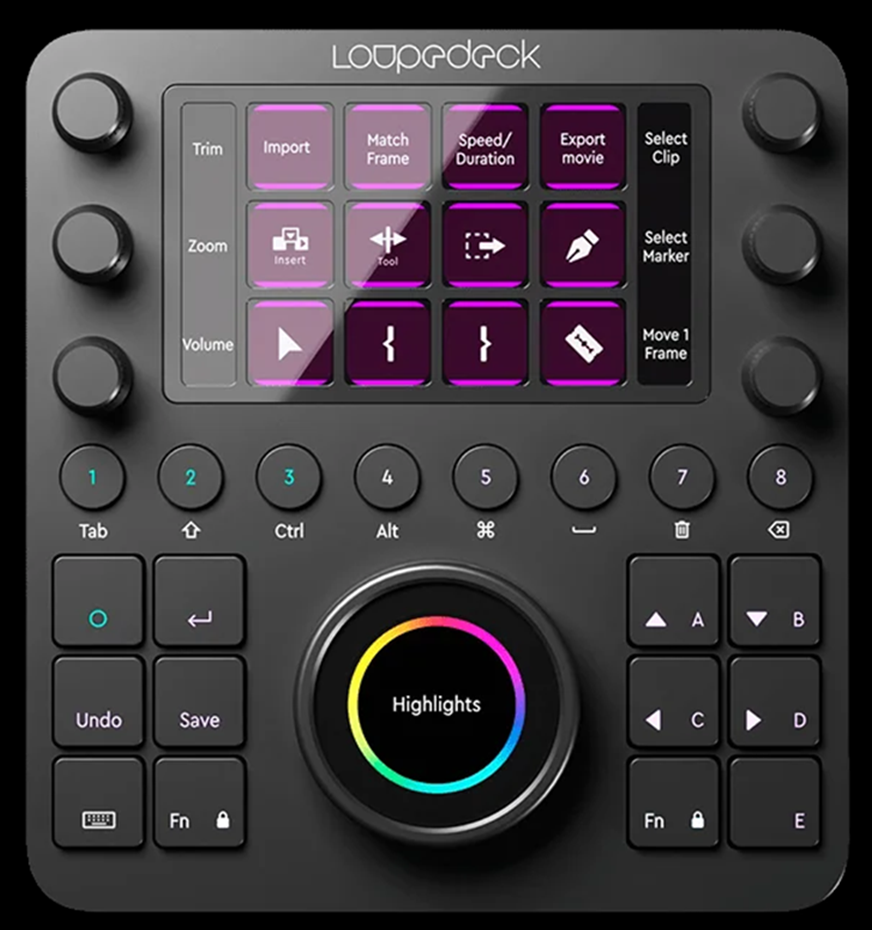
The device focuses heavily on workflow personalization. Users can build custom profiles for Lightroom, Photoshop, Premiere Pro, After Effects, and even streaming software. Instead of memorizing dozens of keyboard shortcuts, creators assign functions directly to physical controls.
Loupedeck CT uses a mix of tactile buttons and digital touch controls. Some editors enjoy this hybrid approach because it allows visual customization. Others find it slower during intense editing sessions because touchscreens provide less physical feedback than dedicated knobs and dials.
What Is XPPen Pilot Pro Editing Console?
XPPen Pilot Pro Editing Console is a one-handed editing controller designed specifically for professional creators and editors. If someone asks, “What is XPPen Pilot Pro Editing Console?” the simplest answer is this: it is a hardware shortcut controller designed to speed up editing workflows with physical controls and customizable commands.
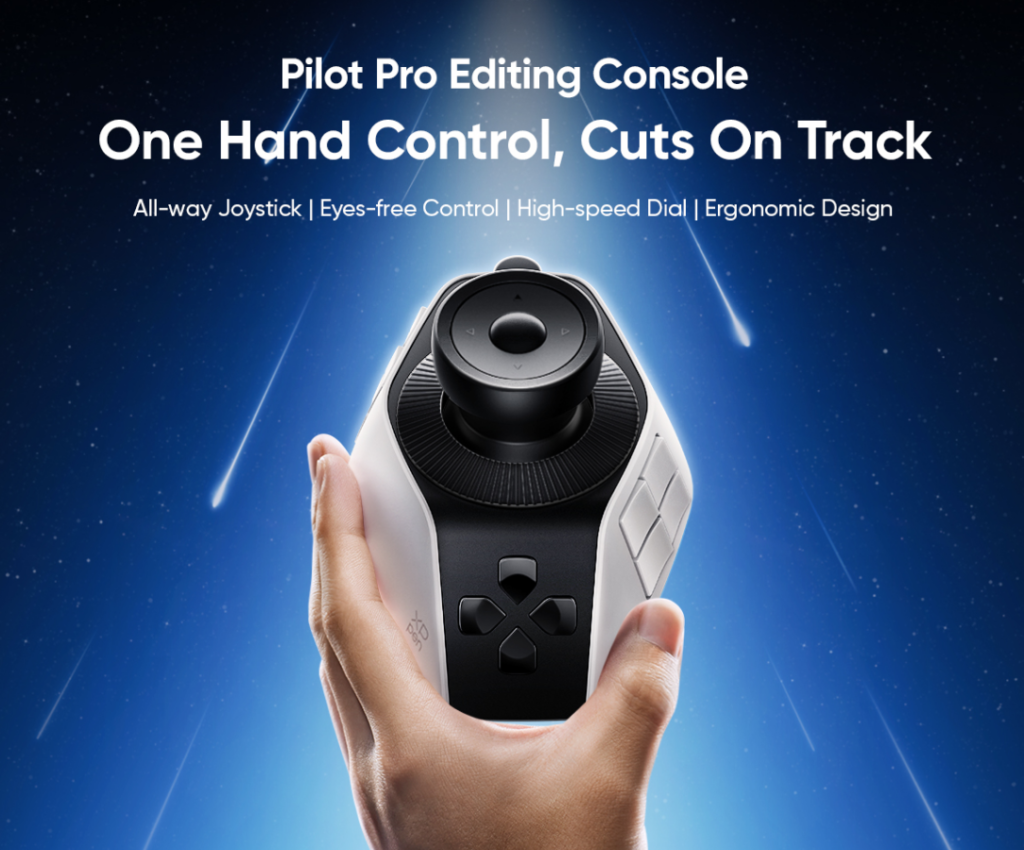
Unlike touchscreen-heavy consoles, the Pilot Pro focuses on tactile editing. It combines:
● 19 programmable buttons
● 3 rotary controls
● 1 all-way joystick
● ergonomic one-handed design
● wireless and wired connectivity
The controller supports major software. The Pilot Pro also supports up to seven custom themes. That makes it practical for creators to switch between editing, color grading, audio adjustments, and graphic design tasks throughout the day.
In the discussion around Loupedeck vs XPPen Pilot Pro, workflow style becomes one of the biggest deciding factors.
Part 2. Key Features of Loupedeck and XPPen Pilot Pro
Loupedeck CT Key Features
Loupedeck CT focuses on customization and software integration. It tries to replace keyboard-heavy workflows with programmable controls and touch-based shortcuts.
Main features of Loupdeck CT:
● Touchscreen interface with customizable icons
● Large central dial for timeline or adjustment control
● Multiple programmable buttons
● Adobe Creative Cloud integration
● Workspace profiles for different applications
● Gesture-based navigation
● RGB lighting customization
The device’s greatest strength is its flexibility. Editors can build highly personalized layouts for different tasks. For example, one workspace can focus on Lightroom color correction while another handles Premiere timeline shortcuts.
XPPen Pilot Pro Editing Console Key Features
The XPPen Pilot Pro Editing Console focuses on fast, hands-on editing control for creators who work daily in Premiere Pro, DaVinci Resolve, Final Cut Pro, and Photoshop. Instead of relying heavily on touchscreen input, it uses physical controls that feel quick and natural during long editing sessions.
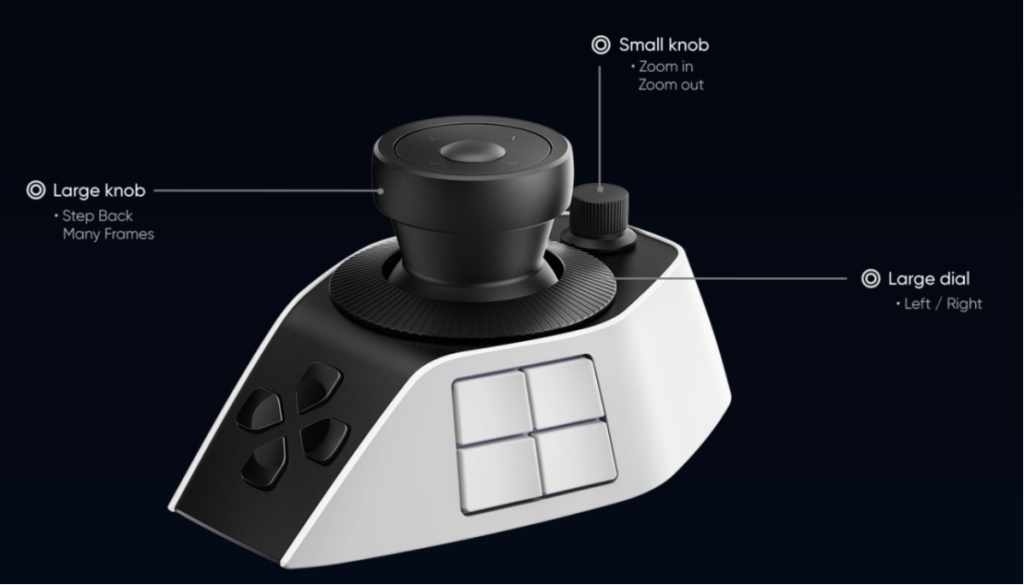
Key features include:
● 19 programmable buttons for shortcuts and editing commands
● 3 rotary controls for timeline zoom, grading, and adjustments
● 1 all-way joystick with 4- and 8-direction control
● One-handed ergonomic design with palm support
● Eyes-free editing workflow for faster operation
● Support for hundreds of custom shortcuts and macros
● Up to 7 customizable workflow themes
● Bluetooth 5.4, 2.4G wireless, and USB-C wired connectivity
● Compatible with Windows and macOS
● Works with Premiere Pro, DaVinci Resolve, Final Cut Pro, and Photoshop
● Compact layout designed for professional editing workflows
● Built for timeline navigation, trimming, color grading, and playback control
Its strongest selling point is tactile editing. Because the controls are physically distinct, editors can work without constantly checking the controller. That becomes important during long editing sessions. In terms of pure hardware design, the Pilot Pro feels very focused on editors rather than general creators.
Part 3. My Reviews of Loupedeck and XPPen Pilot Pro
My Experience with Loupedeck CT
After spending time with Loupedeck CT, the first thing I feel is that its ecosystem is very effectively polished. Adobe integration works well, and setting up custom workspaces is relatively smooth.
Photo editing feels especially good. Lightroom users benefit from direct access to exposure, contrast, highlights, shadows, and color adjustments without repeatedly touching the mouse.
For video editing, though, the experience becomes more mixed.
The touchscreen sections look modern, but there were moments where physical feedback felt limited. During fast editing sessions, glancing down at controls interrupts pacing. Editors who rely heavily on muscle memory may notice this quickly.
Pros of Loupedeck CT
● Excellent software integration
● Strong Lightroom workflow support
● Highly customizable layouts
● Compact desk footprint
● Good for multitasking creators
Cons of Loupedeck CT
● Expensive for some users
● Touch controls lack tactile feedback
● Learning curve for beginners
● Some users report software stability issues over time
Several creator discussions online also mention long-term concerns about software updates and hardware reliability. That is one reason many users have recently started searching for a Loupedeck alternative.
My Experience With XPPen Pilot Pro Editing Console
The Pilot Pro feels more focused from the start; it concentrates on editing efficiency. The joystick changes the workflow more than expected. Timeline movement becomes smoother, especially during rough cuts and clip organization. The physical dials also feel responsive during grading adjustments.
The device works particularly well for editors who want less screen interaction and more tactile control.
Another thing worth mentioning is comfort. The palm-support design helps during longer editing sessions. Hand positioning feels natural instead of cramped.
In the Loupedeck vs XPPen Pilot Pro comparison, which is better depends heavily on editing style. Editors wanting fast tactile control and eyes-free workflow may lean toward the Pilot Pro instead.
Pros of XPPen Pilot Pro
● Excellent tactile feedback
● Comfortable one-handed design
● Joystick improves navigation speed
● Strong compatibility with editing software
● Supports wireless and wired workflows
● Better focus on editing efficiency
Cons of XPPen Pilot Pro
● Requires setup time for custom workflows
Still, for many creators searching for a dependable Loupedeck alternative in 2026, Pilot Pro makes a convincing case.
Part 4. FAQs about Loupedeck and Pilot Pro
Q1: What are alternative hardware devices to Loupedeck CT?
Several editing controllers compete with Loupedeck CT in 2026. Popular options include:
● TourBox Elite
● XPPen Pilot Pro Editing Console
● Monogram Creative Console
● Elgato Stream Deck +
Among them, the Pilot Pro stands out because of its joystick system, ergonomic design, and focus on professional editing workflows rather than general productivity.
Q2: What are alternatives to Loupedeck for macOS 2026?
Mac users in 2026 commonly look at devices with strong Final Cut Pro and Adobe compatibility.
Good alternatives include:
● XPPen Pilot Pro
● TourBox Elite
● Monogram Creative Console
● Stream Deck +
The Pilot Pro supports macOS 11 and newer versions while offering Bluetooth and USB-C connectivity. It also works with Final Cut Pro, DaVinci Resolve, and Photoshop.
Q3: Is XPPen Pilot Pro good for beginners?
Yes. The Pilot Pro works well for both beginners and professionals. Beginners benefit from easier shortcut access and reduced keyboard dependency. Instead of memorizing dozens of commands, they can map common editing actions directly onto physical controls.
Q4: What is the difference between Loupedeck and Loupedeck+?
The main difference comes down to design philosophy.
Loupedeck+ focuses more on traditional physical buttons and dials. It was originally aimed heavily at Lightroom users. Loupedeck CT adds touchscreen controls, a central touch wheel, and broader software integration for creative workflows beyond photography.
Loupedeck CT feels more modern and flexible, while Loupedeck+ offers a more tactile editing experience.
Conclusion
The discussion around Loupedeck vs XPPen Pilot Pro Editing Console comes down to workflow preference more than simple specifications. Loupedeck CT remains a strong option for creators who want touchscreen customization, Adobe ecosystem integration, and flexible workspace management.
The XPPen Pilot Pro takes a different approach. Its joystick, tactile controls, ergonomic design, and eyes-free editing workflow make it especially appealing for video editors.
For creators searching for a reliable Loupedeck alternative, the Pilot Pro is the best option because it prioritizes editing speed and physical workflow comfort over heavy reliance on touch interaction. In 2026, both devices are capable tools. The better choice depends on how you edit and what software you use daily.
Stay in touch to get more updates & news on Tribune!