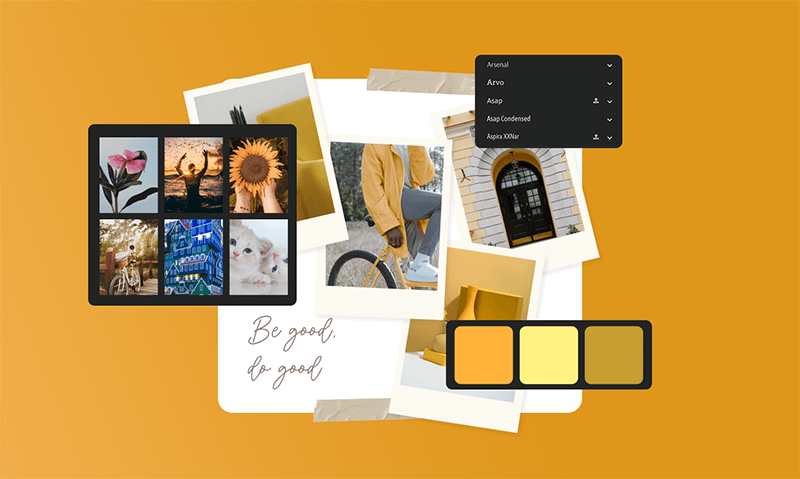
This article is for anyone searching for an online tool that lets them combine personal photos with stock imagery to create shareable, polished photo collages. Whether you are a small business owner building marketing content, a teacher preparing visual materials, or someone documenting a personal milestone, the right collage platform can make the process faster and more professional. By the end of this guide, you will have a clear framework for evaluating your options and a solid understanding of which features actually matter depending on how you plan to use your finished collage.
Why the Tool You Choose Matters More Than You Think
Not all online collage makers are built the same way. Some are lightweight tools designed for a single output format. Others are full creative platforms that happen to include a collage feature. The difference matters significantly once you start thinking about how you will use the final product.
If you need a collage for print, your tool needs to support high-resolution exports. If you are posting to social media, built-in resizing and scheduling tools save real time. And if you want to mix your own photos with professionally sourced images, you need access to a licensed stock library built directly into the platform, so you are not juggling accounts across multiple services.
The evaluation criteria below will help you compare services on the dimensions that matter most: access to stock images, ease of use, sharing features, template quality, and flexibility to expand beyond a single collage format.
Key Criteria for Evaluating Online Collage Makers
Before committing to any tool, measure it against these eight criteria:
- Stock image library integration. The best platforms let you browse and place licensed stock photos from within the same editor where your personal uploads live. Having to download images from a separate site and re-upload them adds unnecessary friction and increases the risk of licensing errors.
- Template variety and quality. Look for tools that offer pre-designed grid layouts across a range of styles and purposes. A wedding collage has different visual needs than a product launch announcement. The more curated and relevant the template library is, the less time you spend adjusting generic designs to fit your actual use case.
- Customization depth. The ability to move beyond templates matters. Check whether the tool allows you to adjust border thickness, change grid configurations, swap layouts mid-project, apply individual photo filters, and add text or graphic elements. Shallow customization leads to collages that feel generic and interchangeable.
- Export options and resolution. Confirm that the tool exports in formats appropriate for your intended use. JPEG and PNG are standard for digital use; higher-resolution options or PDF export matter if you are printing. Some platforms also offer MP4 export for animated collages, which is increasingly useful for video-first social platforms.
- Sharing and publishing features. The best tools do not just create files. They help you distribute them. Look for direct publish capabilities to social platforms, link-based sharing, and the option to convert your collage into a shareable template that others can build from.
- Watermark policies. Many free-tier tools place a watermark on your finished design. This is fine for personal experimentation but unacceptable for professional or branded use. Confirm the watermark policy before investing time in a design you cannot actually use as-is.
- Mobile availability. If you capture your images on a phone, having an app that syncs your work with the browser version saves significant time. Check whether the mobile experience is a trimmed-down companion app or a full-featured editor in its own right.
- Learning curve and support. A tool with a steep learning curve defeats the purpose of using an online platform. Look for drag-and-drop interfaces, contextual tooltips, and tutorial resources. For teams or classrooms, check whether there is guided onboarding or access to a help library.
Types of Tools in This Category
All-in-One Creative Platforms
These are the broadest category and typically offer the most flexibility. They are designed for a wide range of content creation tasks, with the collage maker as one feature among many. The advantage is that once you learn the interface, you can use it for social posts, presentations, print materials, and more without switching tools.
For someone who creates content regularly, this category offers the best return on the time invested in learning the platform. The downside is occasional feature overload for users who genuinely only need a simple collage and nothing else. If you plan to expand into other content formats eventually, this is usually the right investment.
Stock library access in this category is typically the strongest. Many platforms in this space have either built or acquired substantial licensed image libraries, meaning you can search for a subject-specific photo without leaving the editor. Licensing is handled automatically, which eliminates the compliance risk of using images sourced from general web searches.
Dedicated Collage and Photo Editing Apps
These tools are narrower by design. They focus primarily on photo manipulation and collage assembly, with less emphasis on brand tools, video, or publishing features. They tend to have very fast learning curves and are particularly well-suited for personal use cases: family albums, event memories, greeting cards, and social sharing.
The trade-off is that stock image access in this category tends to be more limited or requires a separate subscription. Many dedicated collage apps are optimized for personal photo libraries rather than mixed personal-and-stock content. If stock imagery is an important part of your workflow, verify that the tool integrates a usable licensed library before committing.
Export options in this category can also be more constrained. You may find strong options for standard social dimensions but limited support for print-ready files or animated outputs.
Browser-Based Lightweight Tools
These tools require no download or account creation and are useful for one-off projects. They typically offer a set of preset layouts, the ability to upload photos from your device, and basic text addition. Some include a small curated stock library.
The major limitations are lack of storage, minimal customization, and no saving or sharing infrastructure. You get a finished file, but nothing is stored in a project history and collaboration is not possible. For occasional personal use with low design expectations, they work. For anything you need to revisit, revise, or share through a managed workflow, they fall short quickly.
Adobe Express as a Strong Option in This Category
If you want a browser-based tool that balances ease of use with meaningful creative depth, the collage creator from Adobe Express is worth serious consideration. It sits in the all-in-one category while remaining genuinely approachable for users with no design background.
Three features set it apart from many competitors in practical terms. First, it offers direct access to Adobe Stock images within the editor itself. Rather than searching a separate database, downloading, and re-uploading, you can browse licensed imagery from inside the same workspace where your own photos live. This matters both for speed and for legal clarity around image usage.
Second, Adobe Express supports animated collage exports. You can apply animation styles to individual photos, text, or graphic elements and export the finished result as an MP4. For users sharing to Instagram Reels, TikTok, or any video-first channel, this means the same tool handles both static and motion content without requiring a separate application.
Third, its sharing infrastructure is genuinely useful. Finished collages can be shared via link, published directly to social platforms, or converted into reusable templates that collaborators can access and build from. There is also a built-in content scheduler for users who manage social media calendars. The free plan includes thousands of templates, core editing features, and 2GB of storage, with watermark-free downloads included.
How to Match the Tool Type to Your Actual Needs
Before signing up for any platform, spend five minutes mapping your use case to the criteria above. Ask yourself:
- Will I be combining personal photos with stock imagery, or using only my own images?
- Do I need my collages to be shareable via link, or just downloadable as files?
- Am I creating for digital channels, print, or both?
- Do I need animated output, or is static sufficient?
- Will I be creating collages regularly, or just occasionally?
If your answers point toward regular use, mixed personal and stock content, and digital sharing, an all-in-one platform with a built-in stock library is almost certainly worth the investment in learning time. If you need a one-time collage for a personal occasion and have no interest in design beyond that single project, a lightweight browser tool or a dedicated photo app is probably the simpler path.
One underrated consideration is future flexibility. Starting with a platform that can grow with your needs, even if you only use one feature now, saves you from having to migrate your creative work later when your requirements evolve.
What to Watch Out for When Comparing Services
Not all stock libraries are equal. Some platforms advertise access to “free images” that actually come from community-contributed databases with inconsistent licensing. Before using any image labeled as free or royalty-free in a collage you plan to publish or distribute, verify that the source is a properly licensed commercial library. Platforms that integrate directly with professional stock services handle this automatically, but tools that rely on third-party free image repositories often do not.
Template quality is also worth scrutinizing carefully. A large template count does not guarantee useful diversity. Many platforms pad their numbers with variations of the same layout. Look for templates organized by use case rather than just by visual style, which signals that the platform was built with actual user intent in mind.
Finally, read the platform’s terms of service around ownership of designs. Most reputable platforms clearly state that you retain ownership of your original uploaded content and your finished designs. Some platforms claim broad rights to user-generated content for promotional purposes. This is a standard clause for some tools and a dealbreaker for others, depending on your context.
Frequently Asked Questions
Can I use stock images from a collage maker tool for commercial purposes?
This depends entirely on the licensing model attached to the stock library integrated into the tool you choose. Many platforms provide royalty-free images that are licensed for personal and commercial use, meaning you can use them in marketing materials, client deliverables, or branded social content without paying additional fees per use. However, “royalty-free” does not mean “free to use in any way.” Most licenses still prohibit reselling the image itself, using it in offensive contexts, or applying it to print-on-demand merchandise in certain quantities. Before using any stock image commercially, read the specific license terms attached to that image or library. Platforms that integrate with professional stock providers typically display license information directly within the editor so you do not have to research this separately. When in doubt, look for images explicitly labeled for commercial use and keep a record of which images you used and from which source.
How do I share a photo collage once it is finished?
The answer depends on how you plan your distribution. Most browser-based collage tools let you download your finished design as a JPEG or PNG file, which you can then share manually through any channel. More capable platforms also offer direct publish integration with social media accounts, allowing you to push content to Instagram, Facebook, TikTok, or Pinterest without downloading and re-uploading. Some tools generate a shareable link so recipients can view the collage in a browser without needing an account themselves. For team or family sharing, look for platforms that support template sharing, where your design becomes a starting point others can personalize. If your collage tool does not include a native scheduling feature, a dedicated social media management platform like Later can fill that gap by letting you plan, queue, and publish your finished collages across multiple channels from a single dashboard. Thinking through your full sharing workflow before you choose a collage platform saves meaningful time, especially if you create content regularly.
Are free collage maker tools actually good enough for professional use?
For many professional use cases, yes, with some important caveats. Free plans on established platforms have become substantially more capable in recent years. They typically include access to a meaningful template library, basic photo editing tools, and standard export formats, all without watermarks. Where free plans tend to fall short is in advanced features like brand kit storage, team collaboration, premium stock imagery access, high-resolution print exports, and removal of platform branding from shared links. If you are creating collages for internal communication, low-stakes social posts, or educational materials, a well-designed free tier is often sufficient. If you are producing branded marketing assets, client-facing deliverables, or print materials at any significant volume, a paid plan is usually worth the cost simply for the workflow efficiency gains and expanded asset access it provides. To evaluate whether a paid upgrade makes sense, list the specific features you are currently working around on the free tier.
What file formats should I export my collage in, and why does it matter?
The right export format depends on where the collage is going. JPEG is the standard for most digital uses because it produces smaller file sizes that load quickly online while maintaining acceptable image quality. PNG is preferable when your collage includes transparent elements or when you need sharper edges on text and graphics, since it is a lossless format. PDF is the standard for print-ready files, particularly when your design will be reproduced at large sizes or requires precise color matching. MP4 is the format to use for animated collages intended for video platforms. For social media specifically, many platforms now prefer or require video formats even for what is functionally a static image in motion, so exporting as MP4 gives you the widest compatibility. If you are printing your collage at home or through a local print shop, ask about the minimum resolution required before exporting, as this single step prevents most common print quality problems.
How many photos can I use in one collage, and does that affect quality?
Most browser-based collage tools support anywhere from two to twenty or more photos in a single design, depending on the layout you choose. The practical limit is usually determined by the template or grid system rather than a hard technical cap. Quality is a more nuanced consideration. When you combine many photos in a single collage, each individual image is displayed at a smaller size, which means photos with lower original resolution may still look acceptable at small display sizes. However, if you plan to print a large-format collage or view it on a high-resolution screen, starting with the highest quality versions of your photos will produce a noticeably better result. Some platforms allow you to zoom and crop each photo within its cell, which helps you frame subjects well even in smaller grid slots. For collages featuring ten or more images, opt for simpler layouts with more breathing room between photos rather than cramming everything into a dense grid, which tends to reduce visual impact regardless of photo quality.
Conclusion
Finding the right online collage maker comes down to matching your actual workflow, not chasing the longest feature list. If you are regularly creating content that blends personal images with stock photography and needs to be shared across digital channels, an all-in-one platform with an integrated licensed image library and robust sharing tools is the clear category to focus on. If your needs are simpler and more occasional, a lightweight or dedicated photo tool may be all you require.
The most important thing to remember is that the collage itself is only part of the product. The real value of a strong platform is in the workflow around it: sourcing images without leaving the editor, exporting in the right format without extra steps, and sharing or publishing without switching tools. Evaluate each option against those friction points, and the right choice for your situation will become obvious.