In 2025, video creation has become increasingly expensive, from high-end equipment to production teams and post-editing. However, the biggest expense often comes from hiring professional actors, who can take up nearly half of a project’s total budget. This makes video production impossible for small businesses and independent creators. Fortunately, Vidnoz AI changes that. With this advanced AI tool, you can replace costly actors with realistic AI avatars and handle the entire production process digitally. The result? Studio-quality videos at a fraction of the cost. Follow this guide to discover how Vidnoz AI makes video creation truly budget-friendly.
Part 1: Vidnoz AI: Overview
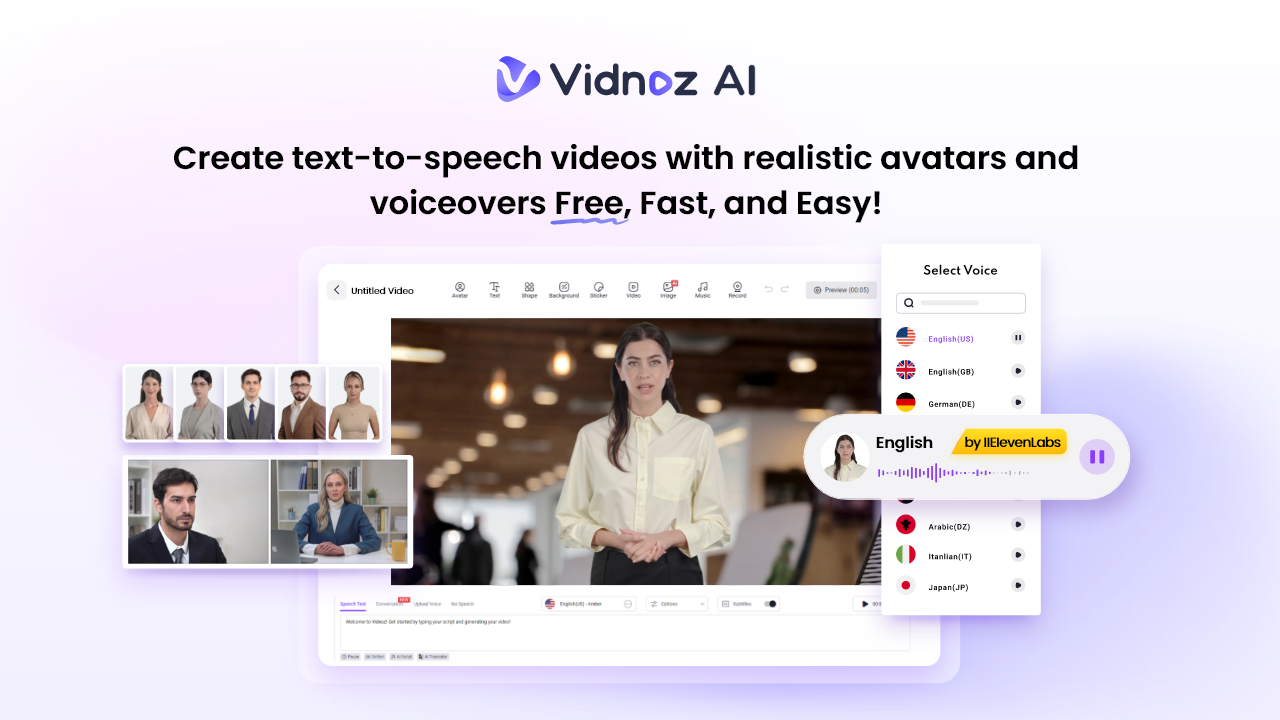
Looking for a tool to create high-quality videos without hiring a professional actor? Vidnoz AI is the best option. It is an all-in-one AI video generator that allows users to create engaging videos without hiring professional actors. It includes 1700+ AI avatars from various industries and roles. The best part of this tool is that it offers the Avatar Lite feature, enabling users to create digital twins that can speak into 40+ languages, including English, Chinese, German, French, Spanish, and more.
Beyond avatars, Vidnoz AI provides thousands of ready-made templates, AI voice, and smart lip-sync technology that ensures natural delivery. Plus, it is certified with ISO/IEC 27001:2022 for Information Security Management.
Part 2: Key Features of Vidnoz AI That Eliminate the Need for Human Actors
Vidnoz AI’s amazing capabilities and features make video creation accessible for everyone. Here are the top features of this program:
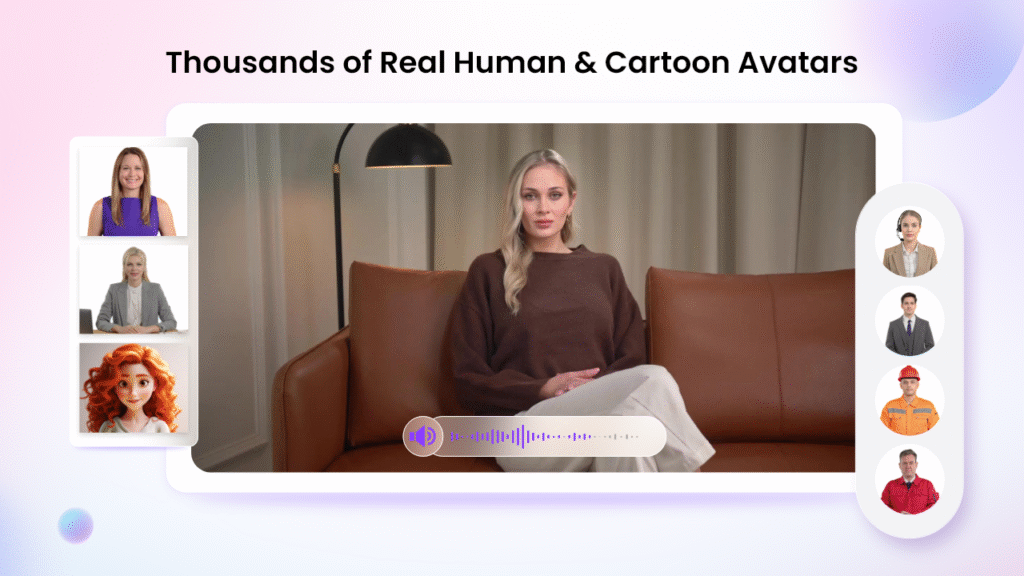
- Realistic AI Avatar: Vidnoz AI offers 1700+ AI Avatars, which eliminates the need for hiring professional actors. The program offers avatars of doctors, nurses, musicians, actors, chiefs, and healthcare professionals. The best part of Vidnoz AI is that it includes Avatar Lite and Avatar Pro features, allowing users to do quick creations and perform deeper customization.
- Wide Range of Templates: The program includes 2800+ video templates, allowing users to create various types of videos, such as how-to guides, product demos, tutorials, explainer videos, educational content, and much more. Users can also use custom templates to accelerate the brand video creation.
- High-Quality AI Voices: No voice actor required! Vidnoz AI provides 1830+ AI voices in 140+ languages, each with unique accents and characteristics. All voices are powered by ElevenLabs, Microsoft, and Google. Additionally, content creators can select from a diverse range of voice styles, sentiments, and emotions to perfectly match their videos’ intended tone and style.
- Free Version: The standout feature of this tool is that it offers a free version, allowing users to create a 2-minute video for free daily. The free version also includes advanced features such as Templates, Avatars, Voices, Avatar Lite, AI Image Generation, and more.
- AI Video Wizard: With the help of this tool, users can create high-quality and engaging videos with a simple text prompt or any source material. No editing skills or professional help are required.
Part 3: How to Create Cost-Effective Videos with Vidnoz AI: Step-by-Step Guide
Creating professional video no longer requires big budgets, actors, or complex production setups. With Vidnoz AI, you can produce stunning videos using AI avatars, templates, and voices — all within minutes. Follow these simple steps to get started:
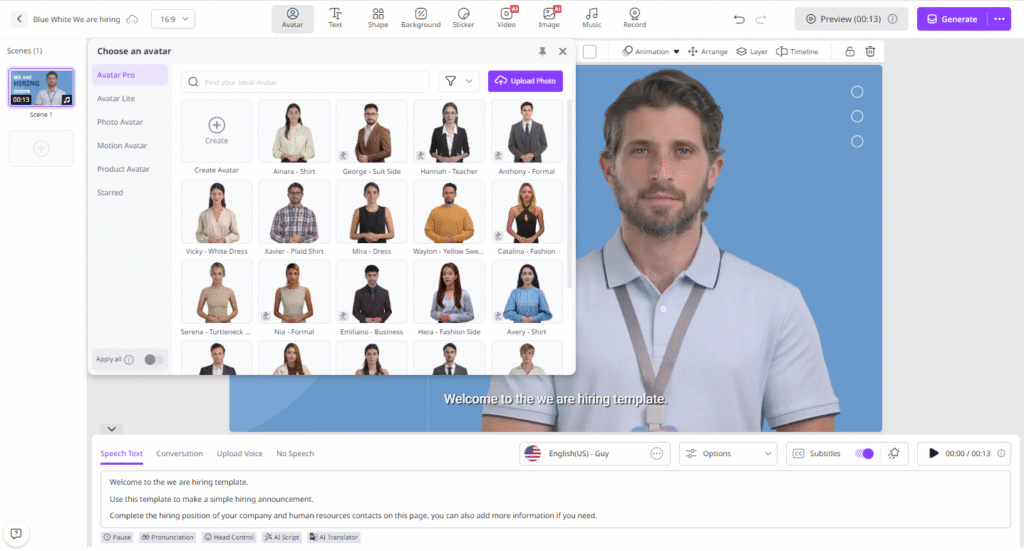
- Choose Templates and Avatars
Go to Vidnoz AI’s official site and create your free account. Log in to access the video creation dashboard. Select from thousands of pre-made templates and AI Avatars.
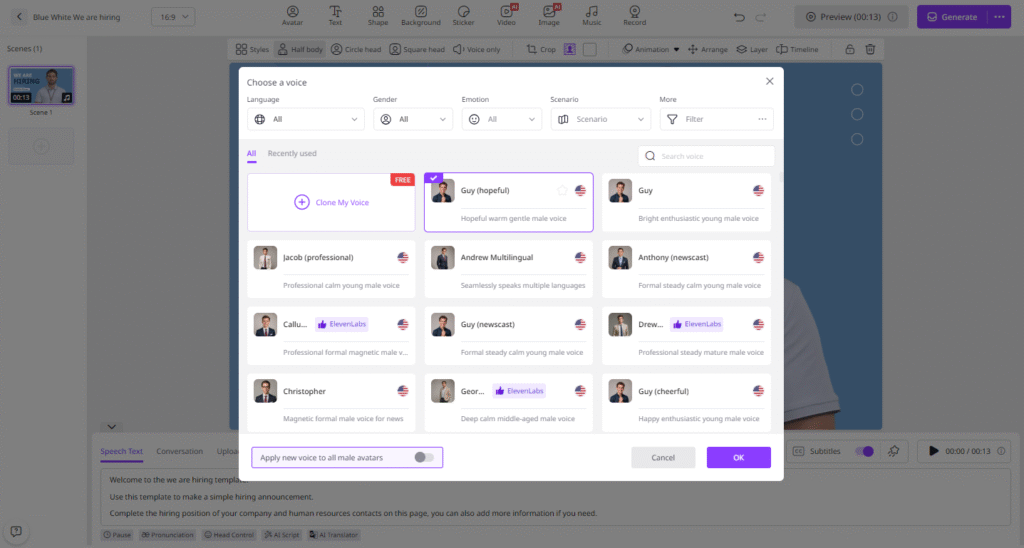
- Add Your Script and Voice
Paste your script directly or upload any source material. Choose from AI voices in 140+ languages. Users can choose and combine multiple languages within a single video.
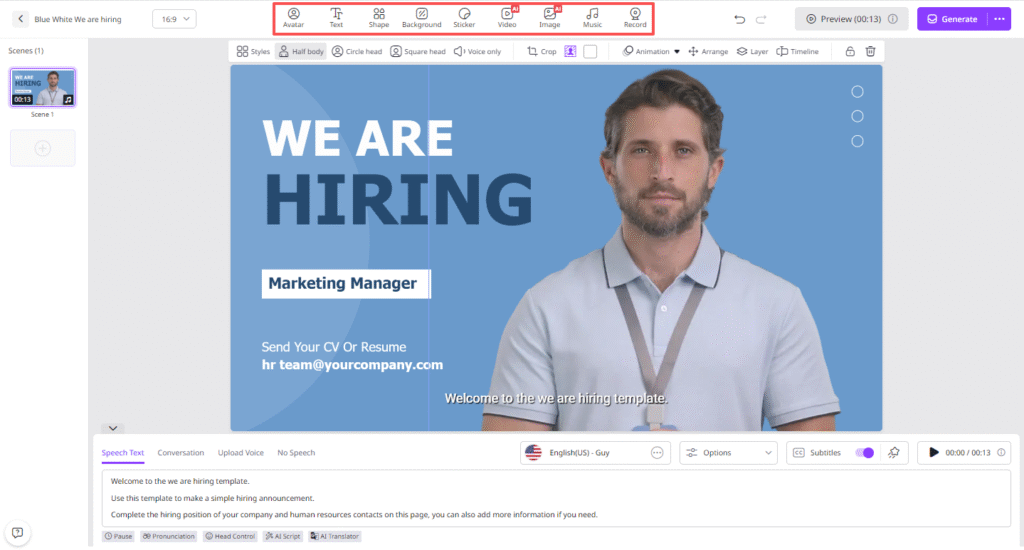
- Customize AI Video
Next, use Vidnoz AI Online Video Editor to customize the video according to your needs. Add backgrounds, music, logo, and text.
- Generate and Download
Once you’re happy with the setup, click “Generate.” Vidnoz AI will produce high-quality videos in minutes. Preview and download it in a popular format such as MP4.
Part 4: FAQs Related to Vidnoz AI
- Is Vidnoz AI Free to Use?
Yes, Vidnoz AI offers a free version that allows users to create high-quality and engaging videos without any cost. With the help of the free version, users can create a 2-minute video daily and use amazing features like Avatar Lite, Voice Cloning, and more.
- How Many Languages Does Vidnoz AI Support?
Vidnoz AI supports 140+ languages, including English, Chinese, Turkish, German, Italian, Spanish, French, Japanese, Korean, etc.
Final Thoughts
Vidnoz AI stands out as one of the few powerful tools that let you create professional-quality videos without the need for hiring actors or an expensive production crew. Its advanced AI avatars seamlessly replace human actors, allowing you to produce realistic and engaging videos in minutes. Whether you’re a small business owner, content creator, or educator, Vidnoz AI helps cut costs, save time, and maintain high-quality results.