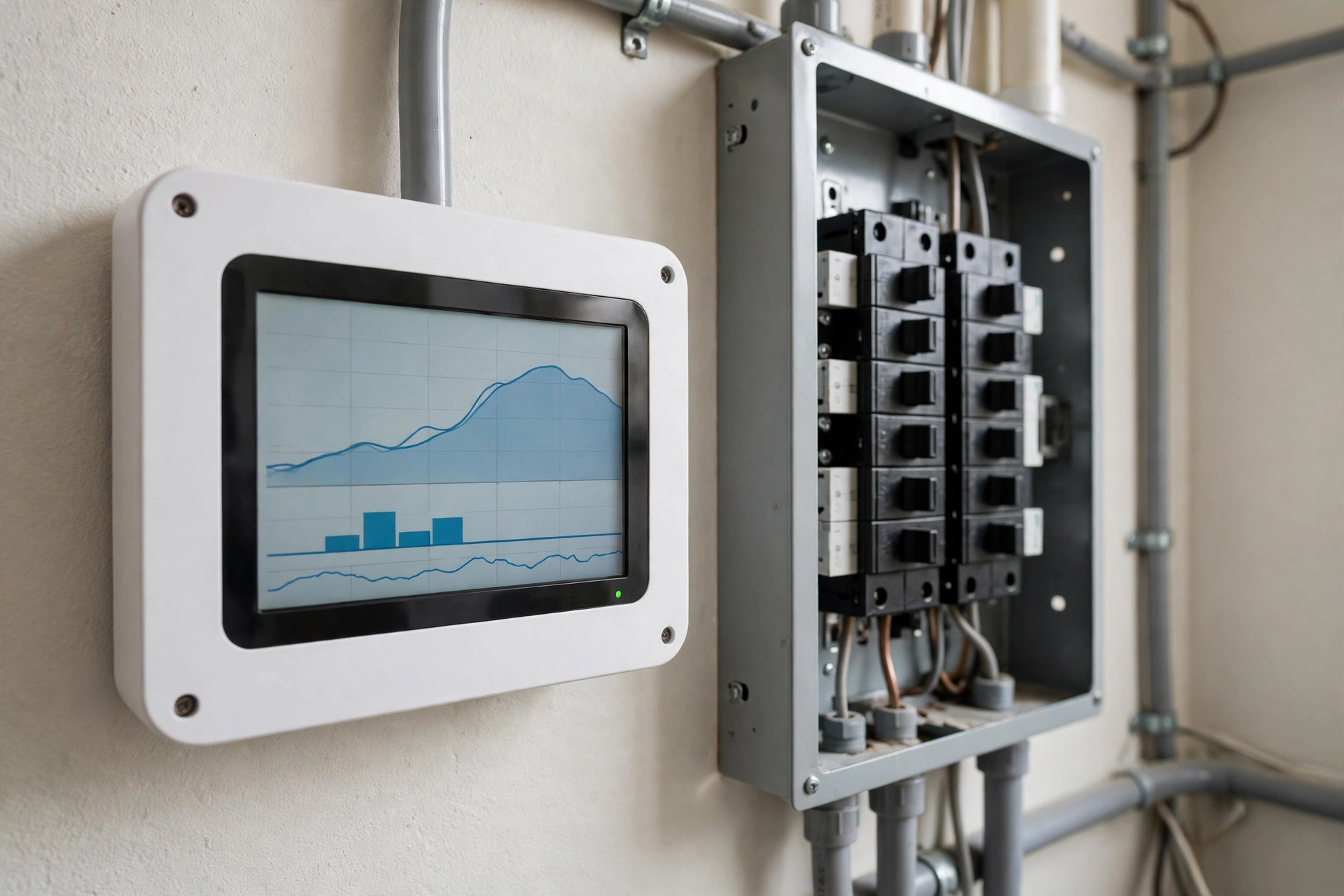
Your electricity bill arrives every month as a single number, yet it is the sum of dozens of hidden decisions: the water heater reheating water nobody used, the old chest freezer humming in the garage, the game console drawing power all night in standby. A home energy monitor installation changes that blind spot into a clear picture. It is a small device fitted inside your breaker panel that measures exactly how much electricity your home uses in real time, and, on circuit-level models, how much each individual circuit draws. Within weeks, most owners can point to their biggest consumers, find loads they never knew existed, and prove that their fixes actually worked.
The direct answer: installing a home energy monitor means fitting current transformer (CT) sensors inside your electrical panel around the main service conductors (and optionally around individual circuit wires), connecting a small monitoring unit, and pairing it with a phone app. The work takes about 30 to 60 minutes for a whole-home unit and one to three hours for circuit-level models. Because the panel contains live conductors even with the main breaker off, manufacturers and experienced installers strongly recommend a licensed electrician, with typical professional installation costing about $75 to $300 as an estimate. The monitor itself does not lower your bill; it gives you the data to act on, and engaged users commonly report savings of 5 to 15 percent.
How Home Energy Monitors Work
Every home energy monitor answers one question in real time: how many watts is my house using right now, and where is that power going? A current transformer, or CT, is a ring-shaped sensor that clips around an electrical conductor like a clothespin. As current flows through the wire, the CT senses the magnetic field and converts it into a signal the monitor measures — nothing is cut, spliced, or altered, and the sensor never touches the live conductor. Paired with a voltage reference, the monitor multiplies current by voltage to calculate watts in real time, then accumulates kilowatt-hours, the same unit your utility bills you for.
Whole-Home Versus Circuit-Level Tracking
Whole-home monitors clamp two CTs around the two main service conductors and report one total, using software that tries to recognize individual appliances from their electrical fingerprints. Circuit-level monitors add smaller CTs to individual branch circuits, giving labeled readings for the water heater, the HVAC circuit, the kitchen outlets, and so on. The trade-off is simple: whole-home models are cheaper and faster to install, while circuit-level models cost more and take longer but give exact answers instead of AI guesses. For finding high-consumption circuits and unexpected usage, direct circuit monitoring is the more reliable path.
Choosing the Right Energy Monitor for Your Home
The market centers on a few well-established approaches. Comparing them on the dimensions that matter — cost, circuit coverage, accuracy, and data handling — is more useful than memorizing model numbers.
A few observations help narrow the choice. AI-based appliance detection needs weeks or months of learning and can misidentify devices, while labeled circuit sensors give correct answers from day one. If you have rooftop solar, confirm the model supports net metering with dedicated solar CTs so you see production, consumption, and grid export separately. Renters and anyone unwilling to open a panel can get meaningful visibility from energy-monitoring smart plugs on major appliances instead. And if you already know your water heater and HVAC are the big consumers, even a two-channel budget monitor on those two circuits can confirm the numbers before you spend on upgrades.
Home Energy Monitor Installation: Step by Step
The steps below describe what a typical installation involves. Read them to understand the job before deciding whether to do it yourself or hire an electrician — any uncertainty about panel work is a strong signal to call a professional.
What to Prepare Before Opening the Panel
- Read the manufacturer’s manual for your exact model — CT orientation, port assignment, and antenna placement differ between brands.
- Confirm a spare breaker position if the model needs a voltage reference, and identify a knockout for the Wi-Fi antenna so the signal escapes the metal panel.
- Gather a non-contact voltage tester, a screwdriver, a headlamp, and cable ties for routing sensor leads neatly.
- Check local rules first: some jurisdictions require a permit or a licensed electrician for panel work, and DIY panel work may affect homeowner’s insurance.
The Installation Process
Turn off the main breaker. This de-energizes most of the panel, but the thick service conductors from the utility remain live at all times — treat them as energized.
Remove the panel cover and set it aside. Use the voltage tester to confirm which parts are live.
Mount the monitoring unit inside the panel or an adjacent enclosure, positioned so the antenna can reach a knockout and the CT leads can reach the conductors.
Clamp the two main CT sensors around the two main service conductors, both oriented the same way, with the arrow or label facing the incoming power source. Opposite orientation causes incorrect or negative readings.
For circuit-level models, clamp the smaller sensors around individual circuit wires per the manufacturer’s labeling.
Connect the power leads per the manual: typically red and black to a two-pole breaker and white to the neutral bus bar, torqued to specification.
Route the antenna through a knockout so it sits outside the metal enclosure, which otherwise blocks Wi-Fi.
Tidy the leads with cable ties, confirm no wires are pinched or touching breakers, then replace the panel cover.
Turn the main breaker back on, pair the app, and verify plausible real-time power — switch a known load like a kettle on and off to confirm.
After the Hardware Is In: App Setup
Setup takes fifteen to thirty minutes. Name each monitored circuit in the app — ‘Kitchen outlets’ beats ‘Circuit 7’ when you review a graph in three months. If the monitor uses AI detection, give it several weeks of normal use before trusting device labels. Set alerts for unusual activity, such as sustained high draw at night, which is exactly how owners discover problems like a stuck water-heater element or a forgotten space heater.
Electrical Safety Essentials You Cannot Skip
- Turning off the main breaker does not de-energize the service conductors. The utility-side cables stay live unless the utility disconnects your service at the meter.
- Use insulated tools, wear no jewelry, and never reach blindly behind bus bars or mains.
- If the panel shows damage, double-tapped breakers, or corrosion, stop and have an electrician inspect it first.
- Verify dead with a non-contact voltage tester before touching any conductor, and re-test if you leave and return.
- When in doubt, hire a licensed electrician — about $75 to $300 as an estimate is small compared to the risk of shock or arc flash.
Reading the Data: Finding High Consumption Circuits
Once the monitor has run for a week or two, you have a record most households never see. Check your app late at night when everyone is asleep: the lowest sustained wattage is your always-on baseline — refrigerators, routers, doorbell transformers, security systems, and everything on standby. A baseline that feels too high is your first clue; many owners are surprised how much their ‘sleeping’ house still draws.
Hunt Down Vampire Loads
Vampire loads draw power while nominally off: cable boxes at 15 to 25 watts around the clock, game consoles in standby, smart speakers, chargers, and older electronics. Watch the real-time reading, then switch off one breaker at a time and note which circuit drops the baseline — that is your suspect list. Verify individual devices with a plug-in meter, then act: disable instant-on modes, group entertainment centers on switched power strips, and replace or unplug the worst offenders. Focus on loads above a few watts or devices in rooms you rarely use.
Spot Unexpected Spikes and Patterns
Study daily graphs for spikes you cannot explain. A flat 4-kilowatt block at 3 a.m. could be a water heater element that never shuts off; a repeating short-cycle pattern may signal an HVAC problem. Because the monitor records history, you can test fixes: after adding a water-heater timer or moving the dishwasher to off-peak hours, the graph should prove the change worked. That before-and-after evidence turns data into confidence.
Turning Data Into Lower Bills: Practical Savings Actions
- Eliminate standby waste: group entertainment and office equipment on switched strips and turn them off nightly.
- Shift heavy loads to off-peak hours on time-of-use tariffs — laundry, dishwashing, EV charging, and pool filtration are the usual candidates.
- Fix what the data exposes: a water heater running all day may need a timer or lower thermostat setting; an ancient freezer may cost more per year than replacing it.
- Right-size future purchases: knowing your peak draw helps you choose appliances and heat pumps that fit actual usage.
- Re-check quarterly. New devices creep in and seasonal patterns change — a five-minute review keeps savings from leaking away.
Keep expectations honest: the monitor measures, you save. A monitor you never open is an expensive decoration.
Monitoring Solar Production and Grid Export
With dedicated solar CTs, a monitor shows generation, consumption, and grid export separately. The valuable insight is timing — shifting the dishwasher, laundry, or EV charging into peak solar hours raises self-consumption and cuts the electricity you buy at retail rates. Watch net consumption rather than production alone; two homes with identical arrays can have very different bills depending on when they use power.
What Does an Energy Monitor Cost?
All figures are estimates — check current local prices. A $100 to $200 monitor that reveals even a 10 percent saving on an average bill often pays for itself within months, but only if the owner acts on the findings.
Common Installation Mistakes to Avoid
- Clamping CTs in opposite directions — keep arrows facing the utility source.
- Plugging a CT into the wrong port on monitors that assign voltage references per port.
- Leaving the antenna inside the steel panel, which kills the Wi-Fi signal.
- Assuming the panel is safe because the main breaker is off — service conductors stay live.
- Overstuffing the panel with sensor leads so the cover will not close properly.
- Skipping circuit labels in the app, which turns useful data into a mystery months later.
Final Thoughts
A home energy monitor installation is one of the cheapest diagnostic upgrades a homeowner can make: a few hours, a few hundred dollars, and the invisible becomes measurable. Choose whole-home for patterns or circuit-level for precision, install it safely with a licensed electrician whenever you have any doubt, and then actually use the data — baseline, vampire loads, spikes, verified fixes. Your next step: decide which type fits your home, check local electrical rules, and book either a careful DIY afternoon or an hour of a professional’s time.
Frequently Asked Questions
Do I need an electrician to install a home energy monitor?
In most cases it is strongly recommended. The CT sensors are non-invasive, but reaching them means opening a panel where service conductors stay live even with the main breaker off. Typical electrician fees of about $75 to $300 as an estimate buy safety and correct sensor placement, and some jurisdictions legally require a licensed electrician or permit — check local rules first.
How accurate are home energy monitors?
Well-installed monitors are typically within about ±2 percent of utility metering for total consumption — plenty for household decisions. Circuit-level sensors are deterministic and reliable from day one. AI-based appliance detection is less precise, especially early on, and works best as a guide rather than a bill of record.
Will an energy monitor lower my electricity bill?
Not by itself. The monitor provides visibility; savings come from acting on it — eliminating standby loads, shifting heavy appliances to off-peak rates, and fixing malfunctioning equipment. Engaged users commonly report 5 to 15 percent savings, but a monitor that is never opened saves nothing.
Can a home energy monitor work with solar panels?
Yes, with a model that supports solar monitoring and dedicated solar CTs. It then shows production, consumption, and grid export separately — exactly what you need to time heavy loads to sunny hours and maximize self-consumption. Check compatibility with your inverter setup before buying.
How do I find vampire loads with an energy monitor?
Check your overnight baseline, then switch breakers off one at a time and watch which circuit drops it. Verify individual devices with a plug-in meter, then act on the worst offenders: switched power strips for entertainment centers, disabling instant-on modes, and replacing power-hungry legacy devices.
How long does installation take?
A whole-home unit typically takes 30 to 60 minutes including app setup. Circuit-level installations take roughly one to three hours depending on sensor count, since each circuit wire must be identified and clamped. Add time for neat cable routing and labeling circuits in the app.
Can renters use home energy monitors?
Panel-mounted monitors are not practical for renters, since they require opening the electrical panel and often landlord approval. Renters can get most of the benefit from energy-monitoring smart plugs and plug-in meters, which are portable and need no installation.