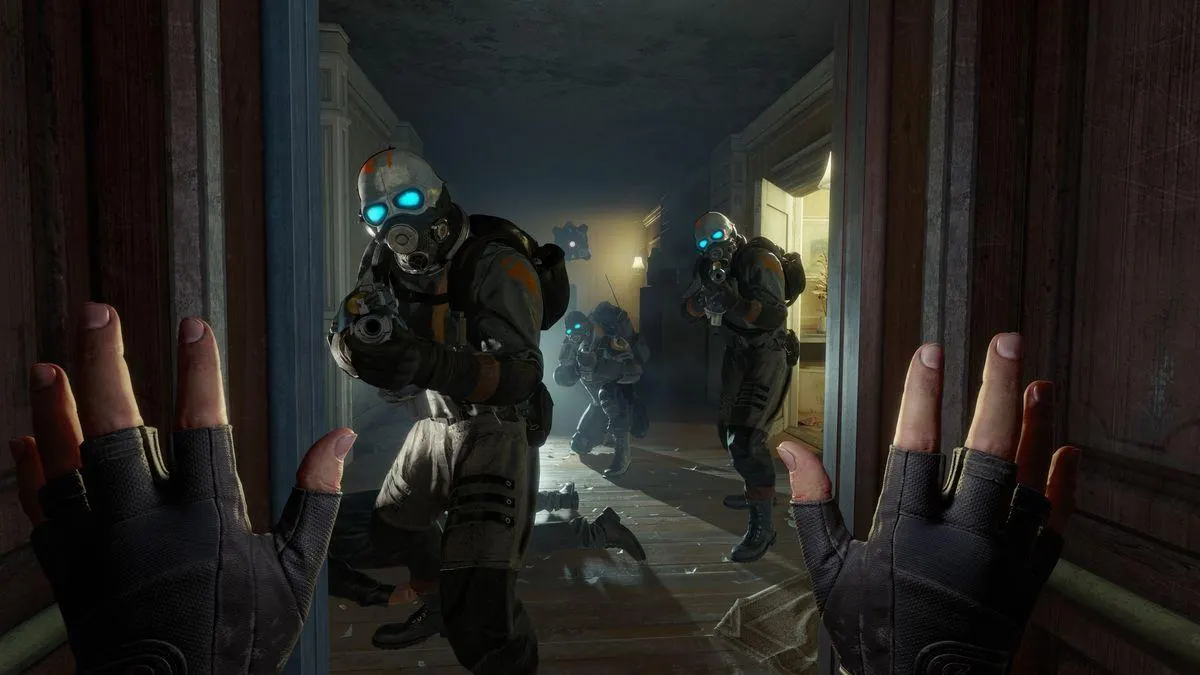
When Half-Life: Alyx launched, it completely redefined what players expected from virtual reality (VR) and PC gaming. As Valve’s first major title built exclusively for VR, it showcased an unprecedented level of detail, immersion, and interaction. But to experience the game the way it was meant to be played, your hardware needs to rise to the challenge.
Whether you’re a long-time fan of the Half-Life universe or a PC enthusiast looking to build the perfect setup, understanding the essential hardware requirements for an optimal Half Life Alyx PC Gaming experience is crucial.
In this detailed guide, we’ll explore what components matter most, how to balance performance and budget, and what kind of PC for gaming will deliver the immersive, lag-free experience that Half-Life: Alyx deserves.
Why Hardware Matters for Half-Life: Alyx
Unlike traditional first-person shooters, Half-Life: Alyx isn’t just about fast reflexes, it’s about realism, physics, and interaction. Every object in the world can be manipulated, picked up, or thrown. Every enemy encounter feels grounded in physical space, and your movement in VR translates directly into gameplay.
This level of realism comes at a cost your PC must handle:
- High-resolution rendering for two simultaneous views
- Low-latency response to avoid motion sickness
- Consistent frame rates above 90 FPS for a smooth VR experience
- Real-time physics, lighting, and detailed textures
In short, Half Life Alyx PC Gaming pushes your system harder than almost any non-VR title out there.
1. Processor
When playing Half-Life: Alyx, your CPU is responsible for physics calculations, object interactions, and keeping frame pacing consistent.
Recommended CPUs:
- Minimum: Intel Core i5-7500 / AMD Ryzen 5 1600
- Recommended: Intel Core i7-11700K / AMD Ryzen 7 5800X
- Best Performance: Intel Core i9-13900K / AMD Ryzen 9 7900X
A strong multi-core CPU ensures the game handles complex AI, physics, and VR input smoothly. If you’re building a PC for gaming and plan to play other demanding VR titles, investing in a newer Ryzen 7 or i7 series CPU is wise.
2. Graphics Card
The GPU is the most important component for Half Life Alyx PC Gaming. Rendering VR visuals requires immense power since each eye needs a separate image rendered at high frame rates.
Recommended GPUs:
- Minimum: NVIDIA GTX 1060 / AMD RX 580
- Recommended: NVIDIA RTX 3060 Ti / AMD RX 6700 XT
- Best for Ultra Settings: NVIDIA RTX 4070 / RTX 4080 / AMD RX 7900 XT
For the best VR experience, aim for a GPU that comfortably delivers 90+ FPS at the resolution of your VR headset.
If you’re using high-end devices like the Valve Index or Meta Quest 3 (PC-tethered), an RTX 4070-class GPU or higher ensures smooth and immersive gameplay with zero stutters.
3. Memory
Half-Life: Alyx loads large textures and environments in real-time. Insufficient RAM can cause slowdowns or stutters.
Recommended RAM:
- Minimum: 12GB
- Optimal: 16GB (Dual Channel, DDR4 3200MHz or higher)
- High-End: 32GB (for multitasking or streaming gameplay)
With 16GB RAM, your PC for gaming can easily handle Alyx and background tasks like Discord or OBS if you’re streaming your VR experience.
⚙️ 4. Storage
When playing a game as detailed as Alyx, traditional hard drives simply don’t cut it. The constant asset streaming benefits hugely from solid-state drives (SSD).
✅ Recommended Storage Setup:
- Primary Drive: 500GB or larger NVMe SSD
- Optional Secondary Drive: 1TB SATA SSD or HDD for game backups
An NVMe SSD reduces loading times dramatically, allowing smooth transitions between levels and environments crucial for an immersive Half Life Alyx PC Gaming experience.
5. VR Headset
Your VR headset is what connects you directly to Alyx’s world. While the game supports a wide range of VR systems, quality and immersion depend heavily on the hardware you choose.
Compatible and Recommended VR Headsets:
- Entry Level: Oculus Rift S / Meta Quest 2 (PC Link mode)
- Mid-Range: HP Reverb G2 / Meta Quest 3
- High-End: Valve Index / HTC Vive Pro 2
The Valve Index offers native 120Hz and 144Hz refresh rate modes, delivering an incredibly smooth and responsive VR experience perfect for PC for gaming enthusiasts seeking top-tier performance.
6. Power Supply Unit
Many gamers underestimate the importance of a quality PSU. VR-ready components can draw significant power, especially high-end GPUs.
Recommended PSU:
- Wattage: 650W – 850W
- Certification: 80+ Gold or better
- Brands to Consider: Corsair, EVGA, Seasonic, Cooler Master
A reliable PSU ensures stable power delivery to your components, preventing crashes during intense Half Life Alyx PC Gaming sessions.
7. Cooling System
VR gaming sessions can be lengthy and demanding. Efficient cooling ensures consistent performance and hardware longevity.
Tips:
- Invest in a high-quality air cooler or 240mm AIO liquid cooler for your CPU.
- Ensure your case has at least 3 intake/exhaust fans.
- Clean dust filters regularly.
Thermal throttling can reduce frame rates in Alyx, so proper cooling is vital for uninterrupted gameplay.
8. Audio & Accessories
Half-Life: Alyx features some of the most detailed environmental sound design ever created in gaming.
- Use high-quality headphones or the built-in Index speakers for full spatial audio.
- Consider VR controllers like the Valve Index controllers for the most natural hand interaction.
- A large, clutter-free play area is essential for room-scale VR gameplay.
Keep an eye for more latest news & updates on Tribune!